

Smart downlights look like a simple upgrade. In practice, the ceiling is the complicated part. Most Australian homes built or renovated in the last twenty years have fixed, integrated LED downlights wired into a lighting circuit, sitting in a roof space that is increasingly full of bulk insulation. Get the combination wrong and you either void the fitting's warranty, cook the driver, or create a genuine fire risk.
Here is the practical version: work out which of the four upgrade paths suits your ceiling, then read the classification marking stamped on the luminaire before anyone touches the insulation around it.
The four ways to make downlights smart
1. Swap the globe. Only works if your downlights take a replaceable lamp — usually a GU10 or MR16 fitting, or an E27 in a decorative recessed can. Smart GU10 globes from Philips Hue, Nanoleaf, Arlec Grid Connect and Mirabella Genio are all sold locally, roughly $15–$25 for budget Wi-Fi and $50–$70 each for Hue [VERIFY]. No electrician needed for the globe change itself, but note MR16 fittings run on 12V through a transformer and many smart lamps will not work with an old halogen transformer. Check compatibility before you buy six.
2. Smart dimmer module behind the wall switch. A Zigbee or Wi-Fi dimmer module (Shelly, Aqara, Zemismart, Sonoff) fits into the switch mechanism or the ceiling rose and dims the whole circuit. This keeps your existing downlights and gives you one point of control per circuit rather than per light. Most modules need a neutral at the switch, which older Australian homes frequently do not have. This is hardwired work — a licensed electrician is required [VERIFY].
3. Smart wall switch. Replaces the mech entirely. Good for whole-of-room control, and the physical switch keeps working for guests. Again, licensed electrician, and again, neutral required for most models.
4. Full replacement smart downlights. Integrated smart LED downlights — Hue, Brilliant Smart, Deta Grid Connect, Arlec — swap out the entire fitting. Best colour and tunable-white performance, most expensive, and every fitting has to be individually installed and paired.
If your existing downlights are fixed integrated LEDs and you only want scheduling and dimming, option 2 or 3 is usually far cheaper than option 4.
What the AS/NZS clearance markings actually mean
Since AS/NZS 60598.2.2:2016, recessed luminaires sold here carry a classification marking that tells you how insulation may sit around them [VERIFY]. In plain terms:
- Non-IC — insulation must be kept clear of the fitting. There is a required separation distance, and the fitting cannot be covered or abutted.
- CA80 / CA135 — insulation may be abutted (butted up against the side) but not laid over the top. The number relates to a temperature rating in degrees Celsius [VERIFY].
- IC — insulation may be covered over the fitting.
- IC-4 — may be both covered and abutted, and is generally the marking you want if your roof space is fully batted.
The marking belongs to the luminaire, not to the globe inside it. Putting a smart GU10 into a non-IC housing does not change the housing's rating. Equally, buying an IC-4 rated smart downlight does not retroactively make the insulation arrangement around your other fittings compliant.
Older halogen installations were typically installed with generous clearances and sometimes physical barriers or covers. If your home still has halogens and the insulation has since been topped up, that is worth a professional look regardless of whether you go smart. Installation requirements for recessed luminaires are covered by AS/NZS 3000 and related standards, and compliance is the installing electrician's call, not a retailer's [VERIFY].
Heat is why cheap smart downlights die early
A smart downlight contains a radio, a microcontroller and a driver, all sitting in a plasterboard hole in an Australian roof space that can exceed 50°C in a Perth or Brisbane summer. Electrolytic capacitors in the driver are the usual failure point, and their life roughly halves for every 10°C rise [VERIFY — general electronics rule of thumb, not a manufacturer figure].
That is the specification-level argument for paying more: better-known brands publish an L70 lifetime figure and an ambient temperature rating (often Ta 40°C or Ta 45°C). Cheap unbranded fittings often publish neither. It also argues for keeping the smarts out of the ceiling where you can — a dimmer module in a wall cavity or a smart switch on the wall lives in a much friendlier thermal environment than a driver above the insulation line.
Choosing the control layer: Wi-Fi, Zigbee, Thread or Matter
Twenty Wi-Fi downlights on a single home router is a genuinely bad idea — each one holds a connection, and cheap chipsets handle roaming and reconnection poorly. For anything past about six lights, a low-power mesh (Zigbee or Thread) is the better architecture, because lights are mains-powered and become mesh repeaters themselves.
If you want everything under one roof without being locked to a single brand's app, a multiprotocol hub is the sensible centre of the system.

Zemismart Matter Zigbee Thread Smart Home Hub
For Home Assistant users, you do not need a vendor hub at all. A USB Zigbee coordinator plugged into your HA machine, running Zigbee2MQTT or ZHA, gives you local control of Zigbee downlights, dimmer modules and switches with no cloud dependency and no monthly anything.

SONOFF Zigbee 3.0 USB Dongle
One planning tip: decide on your protocol before you buy fittings. Mixing Wi-Fi downlights in the kitchen with Zigbee in the lounge works, but you will end up with two apps and inconsistent scene behaviour.
Renting? Do not touch the ceiling
If you rent, hardwired changes are out — that includes dimmer modules and switch replacements. Tenancy rules on fixtures vary by state and you would generally need written landlord consent even for reversible work [VERIFY — check your state's residential tenancies authority].
The workable path is: replaceable smart globes if your downlights take them, plus lamps on smart plugs to fill in the light you cannot control. A couple of well-placed floor lamps on plugs often gives better evening light than downlights do anyway.
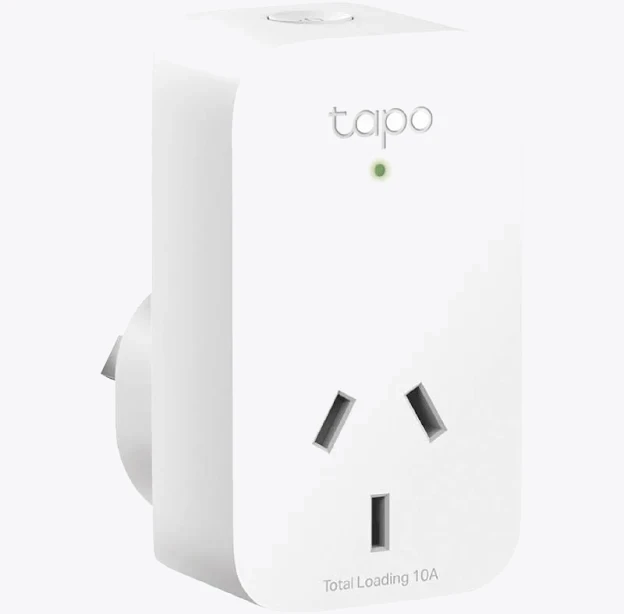
TP-Link Tapo P100 Mini Smart Wi-Fi Socket Plug
Everything comes with you when you move, and there is no make-good at the end of the lease.
What to ask your electrician before they start
Bring this list to the quote:
- What classification marking do my existing downlights carry, and how is the insulation currently sitting around them?
- Is there a neutral at the wall switch — and if not, what would it cost to run one?
- How many fittings are on each circuit, and does the dimmer module's load rating cover them?
- If replacing fittings, are the new ones IC-4 rated, and what is the cut-out diameter compared with my existing holes?
- Can I get a Certificate of Electrical Safety or the equivalent for my state?
Question 4 catches people out constantly. Australian downlight cut-outs are commonly 90mm, but 70mm, 100mm and 120mm all exist [VERIFY]. A 10mm mismatch means patching plasterboard across every room.
All hardwired lighting work in Australia must be carried out by a licensed electrician. Changing a globe is DIY; anything upstream of the lampholder is not.


