

Double brick homes are brilliant for thermal mass and terrible for 2.4 GHz radio. Add foil-faced sarking, a rendered wall or two, a Colorbond garage and a granny flat 15 metres down the driveway, and a Zigbee network that works perfectly inside the house can fall apart the moment you try to add a door sensor to the shed.
The good news: Zigbee is a mesh, and meshes are fixed with placement and mains power, not with money. Here's how to plan one for a typical Aussie double brick block.
The Practical Takeaway
Stop thinking about "range" and start thinking about hops. Every mains-powered Zigbee device (plug, downlight driver, relay, some sensors' bases) is a router that repeats the signal. Your job is to build a chain of those routers roughly every 6–10 metres, going around brick rather than through it — out a window, along an eave, through a doorway — until you land inside the garage or granny flat. Battery devices never repeat, so a mesh made only of sensors will never extend anywhere.
If the final gap is still too far, don't fight it. Run a second Zigbee coordinator in the granny flat over your existing network cable or Wi-Fi and treat it as a separate mesh joined at the software layer.
Why Double Brick and Colorbond Are So Brutal
Zigbee runs at 2.4 GHz with a transmit power measured in single-digit milliwatts — far lower than your Wi-Fi router. That's deliberate; it's what gives battery sensors two-year lifespans. It also means it has very little in reserve.
What eats the signal in an Australian double brick home:
- Two skins of brick plus a cavity. Each masonry wall can cost you an order of magnitude more attenuation than plasterboard — commonly quoted around 10–15 dB per wall, more if it's rendered or damp [VERIFY].
- Foil-faced sarking and insulation. Reflective foil behind brick veneer or under a metal roof acts like a partial Faraday shield.
- Colorbond garages and metal roller doors. A steel-clad garage is essentially an RF box. Signal usually gets in through the door opening, a window, or the gap under the roller — not through the wall.
- Masonry fences and rendered blockwork between the house and a granny flat.
The practical consequence: line of sight through glass beats a shorter path through brick almost every time.
Get the Coordinator Out of the Comms Cupboard
Most weak Zigbee networks in Australia have the same root cause — the coordinator is a USB stick jammed into the back of a mini PC or NAS, sitting in a metal-doored comms cabinet in the laundry, next to a USB 3.0 SSD that's blasting broadband noise across the 2.4 GHz band.
Fix that first, before you buy anything:
- Put the coordinator on a USB 2.0 extension lead (1–2 m) so it hangs clear of the computer chassis and any USB 3 devices. This single change frequently transforms a network.
- Mount it high and central — ideally in a hallway ceiling space or on top of a bookshelf near the middle of the house, not in a corner room.
- Choose a stick with an external antenna if you have a choice. The variants with an SMA antenna consistently outperform the PCB-antenna versions in reviews and community reports [VERIFY].

SONOFF Zigbee 3.0 USB Dongle
This class of dongle is the standard choice for Home Assistant users running Zigbee2MQTT or ZHA. Specifications suggest a Zigbee 3.0 coordinator with an external antenna will comfortably out-reach an all-in-one hub with a hidden internal antenna [VERIFY], mostly because you can put it where you want it rather than where the power point and Ethernet port happen to be.
Build the Chain: Repeaters That Actually Repeat
Routers are the whole game. Plan the path on a rough site sketch before you buy.
A typical double brick layout works like this:
- Hop 1: a mains-powered plug or downlight in the room closest to the back of the house.
- Hop 2: a plug on the alfresco/patio power point, or a Zigbee relay behind an outdoor light, so the signal is now outside the brick envelope.
- Hop 3: a plug inside the garage near the personnel door or window — the opening the signal will travel through.
- Hop 4: the granny flat, if it's within sight of hop 2 or 3.
Things that ruin this:
- Cheap no-name plugs with tiny routing tables. Some budget routers only hold a handful of child devices and drop them under load. Stick to one or two known-good models and repeat them.
- Mixing generations badly. Older Xiaomi/Aqara sensors are famously fussy about which routers they'll stay bound to, and are known to fall off certain mains-powered devices [VERIFY].
- Outdoor gear that isn't rated for it. An indoor smart plug in a carport is not weatherproof. Use IP-rated outdoor gear, and remember any hardwired relay, downlight driver or new outdoor circuit must be installed by a licensed electrician under AS/NZS 3000 — DIY mains work is illegal in every Australian state and territory [VERIFY current rules in your state].
Give each new router 10–15 minutes of settle time and check the mesh map before adding the next one. Devices don't always re-route instantly; some sensors need a re-pair while standing in their final position to bind to the nearest router.
Pick a Channel That Isn't Fighting Your Wi-Fi
Zigbee and 2.4 GHz Wi-Fi share the same band, and in a double brick home your Wi-Fi is probably running at high power to punch through the same walls. That's a rough neighbour.
- Set your 2.4 GHz Wi-Fi to a fixed channel — 1, 6 or 11.
- Then set Zigbee to a channel that sits in the gaps: 15, 20 or 25 are the usual safe picks (25 is the quietest but a handful of older devices don't support it) [VERIFY device support].
- Check the neighbours. In a townhouse or duplex, scan with a Wi-Fi analyser app before choosing.
Changing Zigbee channels after devices are paired can force a re-pair of some battery sensors, so do this early.
When the Granny Flat Needs Its Own Hub
If the granny flat is a separate building with its own meter box, a masonry wall between it and the house, and no line of sight, stop trying to bridge it wirelessly. Two smaller, healthy meshes beat one long, marginal chain.
The approach: run a second gateway in the flat, connected back to the house over Ethernet (best), a Wi-Fi mesh node, or even a powerline adapter if the flat is on the same switchboard. Each mesh gets its own coordinator and its own channel, and the two are joined in your hub software — Home Assistant, Matter, or the vendor app.

Tuya Zigbee Matter Thread Gateway Smart Home Bridge Matter Hub
A Matter-capable Zigbee/Thread gateway is a sensible pick for a second building because it can expose its local devices to your main system over the network rather than over the air. Specifications indicate these multiprotocol gateways handle Zigbee and Thread simultaneously [VERIFY the exact model's supported protocols before buying, as marketing on these listings is inconsistent].
If the flat is tenanted, be careful about what you install. Anything hardwired, anything that records, and anything that controls the tenant's power needs a conversation first — tenancy and privacy obligations differ by state and change regularly [VERIFY with your state tenancy authority].
When Zigbee Just Isn't the Right Tool
For one or two devices at the far end of the block — a pump, a garage freezer alarm, a driveway light — extending a mesh four hops is a lot of effort for a small payoff. If Wi-Fi already covers the spot via a mesh node, a Wi-Fi plug is the pragmatic answer.
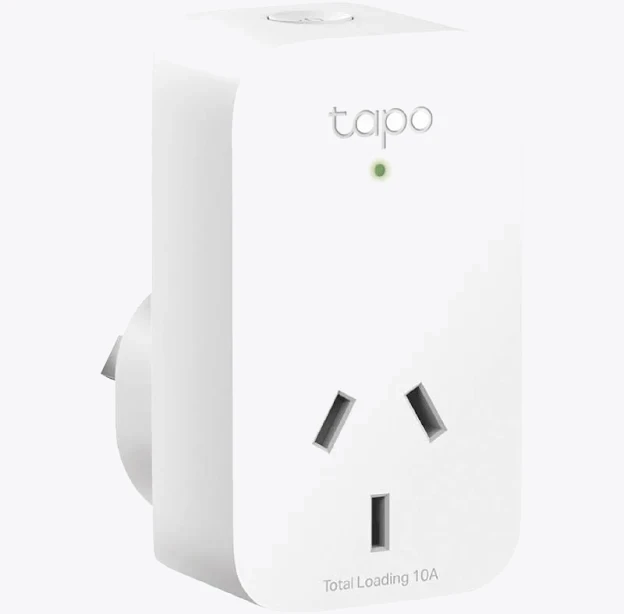
TP-Link Tapo P100 Mini Smart Wi-Fi Socket Plug
It won't help your Zigbee mesh at all — Wi-Fi plugs don't repeat Zigbee — but for a single load in a shed with decent Wi-Fi, it's the shorter path. Just check the plug's rated load against what you're switching, and never run a heater or a workshop machine through a plug that isn't rated for it.
Verify Before You Add More Gear
Before buying another repeater, look at the data you already have:
- Zigbee2MQTT / ZHA network map: check LQI (link quality) values. Anything consistently under ~50 is a marginal link, and devices routing back to the coordinator over three or more weak hops will be unreliable [VERIFY thresholds vary by stack].
- Watch for route flapping — a sensor that changes parent every few hours is telling you it's on the edge of two routers.
- Test at the worst time, not the best: microwave running, everyone streaming, aircon on.
Most double brick homes end up needing three to five well-placed mains-powered routers to reach a detached garage, and a separate coordinator for anything past it. Plan the path first, buy second.


