

Robot vacuum makers photograph their docks in enormous open-plan homes with a conveniently placed power point on a bare white wall. Australian rentals and apartments are rarely that generous. You get one power point behind the couch, another shared with the fridge, and a landlord who is not thrilled about new outlets.
The good news: you almost never need new wiring. You need to be a bit smarter about which existing 240V outlet you use, and how much clear floor you can give the dock.
What the Dock Actually Needs
Before you hunt for a spot, know the non-negotiables. Most manufacturers ask for something close to this, though you should check the manual for your specific model [VERIFY — clearances vary by brand]:
- A flat, hard, level floor. Tiles, timber, vinyl and laminate are all fine. Thick carpet or a rug under the dock is the single most common cause of docking failures, because the robot's wheels sink and the charging contacts miss.
- A solid wall behind it. Skirting boards are usually fine; deep skirting or a rounded architrave can push the dock forward enough to matter.
- Roughly 0.5 m clear either side and 1.5 m clear in front. The robot needs a run-up to line up its infrared or laser docking signal.
- Mains power within the cord length. Dock cords are commonly 1.5–1.8 m [VERIFY per model].
- Decent 2.4 GHz Wi-Fi. Nearly all robot vacuums join 2.4 GHz networks only. Apartment concrete and steel-framed walls chew through that band, so a dock buried in a linen cupboard on the far side of the flat will drop out.
- Permanent power. Leave it switched on. Docks trickle-charge, run drying cycles and download firmware overnight.
Rental-Friendly Spots That Genuinely Work
In order of how often they work out in Australian apartments and townhouses:
The hallway. Usually hard floor, usually has a power point near a doorway for the vacuum cleaner, and it is the most central point in the home. Downside: the dock is on show. A slim console table above it hides most of the visual clutter as long as you keep the front clear.
The laundry or laundry nook. Hard floor, a spare outlet for the dryer or iron, and a tap nearby if you have a mop dock that needs refilling. Keep it well away from the tub and any splash zone — outlets and appliances in wet areas are governed by AS/NZS 3000 clearance rules and this is not a place to improvise [VERIFY with a licensed electrician if you are unsure].
The end of a kitchen bench or against a kickboard. Kitchens are tiled, have plenty of outlets and are usually adjacent to the living area. Watch that the dock isn't in the swing of the oven or dishwasher door.
Under a floating vanity or an open-bottom wardrobe. Only if there is genuine airflow and mains power nearby. Enclosed cupboards trap heat and moisture, and self-emptying docks are loud enough that a cupboard door will rattle rather than muffle.
Against the wall beside the fridge. Often overlooked, usually hard floor, and there is generally a dedicated outlet in the cavity. Do not share the fridge's outlet if it is a single point.
Spots that look tempting and usually disappoint: behind a door that gets left open, on a rug, in a bathroom, on a landing at the top of stairs, or tucked in a corner where the robot can only approach from one narrow angle.
Big Docks: Self-Empty and Mop-Washing Stations
All-in-one docks change the maths. They are tall, deep and heavy, they need clear air above for the dust bag compartment, and the mop-washing ones want a spot you're happy to carry two water tanks to and from.
Square-based docks sit flush into a corner more neatly than rounded ones, which matters when you're working with a 900 mm hallway.

Ecovacs Deebot X2 Omni Square Robot Vacuum
Best for: Fitting under low-profile Australian furniture and square corner cleaning
If the dock also washes and hot-air-dries mop pads, plan for a slightly longer running time in place and a bit more noise. On paper these stations are designed to be plumbing-free — you fill a clean tank and empty a dirty one — which is exactly what you want in a rental, because permanent water connections are a landlord conversation you'd rather skip.
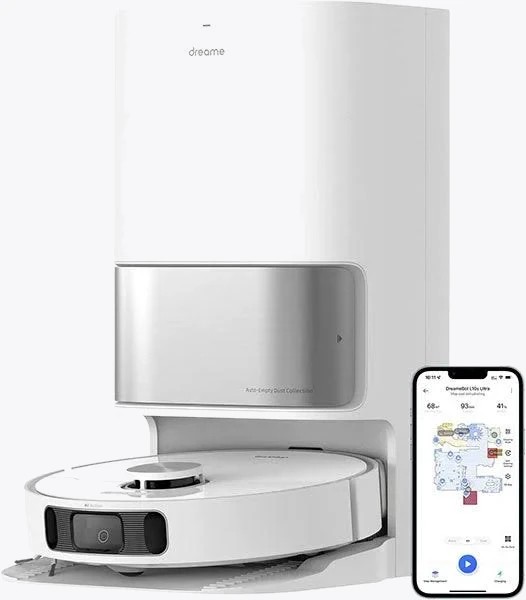
Dreame L10s Ultra Robot Vacuum and Mop
Best for: 5,300 Pa suction with automatic mop washing & hot air drying
Practical tip: put a thin, hard mat or a cut-to-size sheet of clear PVC under a mopping dock. It catches drips, protects the floorboards you'd like your bond back on, and lifts out for cleaning. Bunnings and Officeworks both stock suitable sheeting [VERIFY current stock and pricing].
Power Without an Electrician
You cannot add a new power point yourself. In every Australian state and territory, fixed wiring work must be done by a licensed electrician, and in a rental it needs the owner's agreement as well [VERIFY current rules in your state]. What you can legally do is use the outlets you already have, sensibly.
- One approved extension lead is fine. Use a lead marked to AS/NZS 3112/3199 [VERIFY marking on the product], rated well above the dock's draw, and run it along a wall — not under a rug, where it can overheat and where it also blocks the robot.
- Do not daisy-chain powerboards or plug a powerboard into an extension lead into another board. This is a genuine fire risk, not a technicality.
- Use adhesive cable clips, not screws. Command-style clips and stick-on cable raceway keep the lead tidy and come off at the end of the lease.
- Think twice about a smart plug. Cutting power to a dock breaks charging, drying and self-empty cycles, and several manufacturers advise against it [VERIFY your model's manual]. Where a smart plug does earn its keep is energy monitoring on a nearby appliance, or switching a lamp so the robot has light for its camera-based navigation.
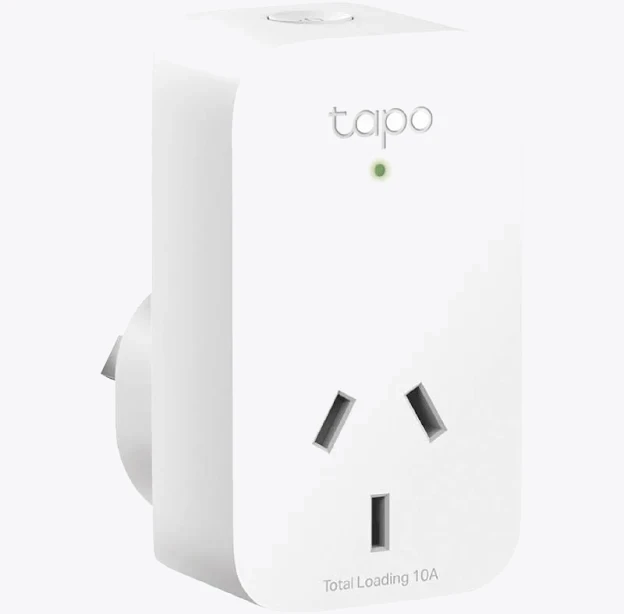
TP-Link Tapo P100 Mini Smart Wi-Fi Socket Plug
Apartment-Specific Headaches
Noise and neighbours. Self-empty cycles are brief but genuinely loud, often quoted in the 75–85 dB range [VERIFY per model]. In a unit with shared walls, schedule cleaning for mid-morning rather than 6 am or after 10 pm.
Strata and common property. You are only ever placing a dock inside your own lot, so this is usually a non-issue — but anything involving drilling into a shared wall or drawing water from a common line is not [VERIFY with your strata manager].
Small floorplans. In a one-bedroom flat, the dock's 1.5 m approach zone can be a real chunk of your living room. Docking against a hallway wall and letting the robot travel to the rooms is almost always better than parking it in the middle of the action.
A Five-Minute Placement Test
Before you commit to a spot, run this: set the dock down, send the robot out, then send it home three times from three different rooms. If it finds the dock every time and seats properly, you've found the place. If it hunts, nudges the dock out of position, or parks crooked, move it 300 mm along the wall and try again. Ninety per cent of "my robot won't dock" complaints are geometry, not hardware.
Mark the dock's outline on the floor with a couple of small strips of removable tape so it goes back to the same spot after you sweep behind it. Boring, effective, and completely bond-safe.


