

Renting rules out a surprising amount of smart home advice. Most guides assume you can run a cable, swap a wall switch, or put four screws into a door frame.
You can build most of a smart home without any of that. Here is what works when the walls are not yours — grouped by how it attaches, because that is the constraint that actually matters.
Our broader guide on what renters can install without losing a bond covers the permission side. This one is about the hardware.
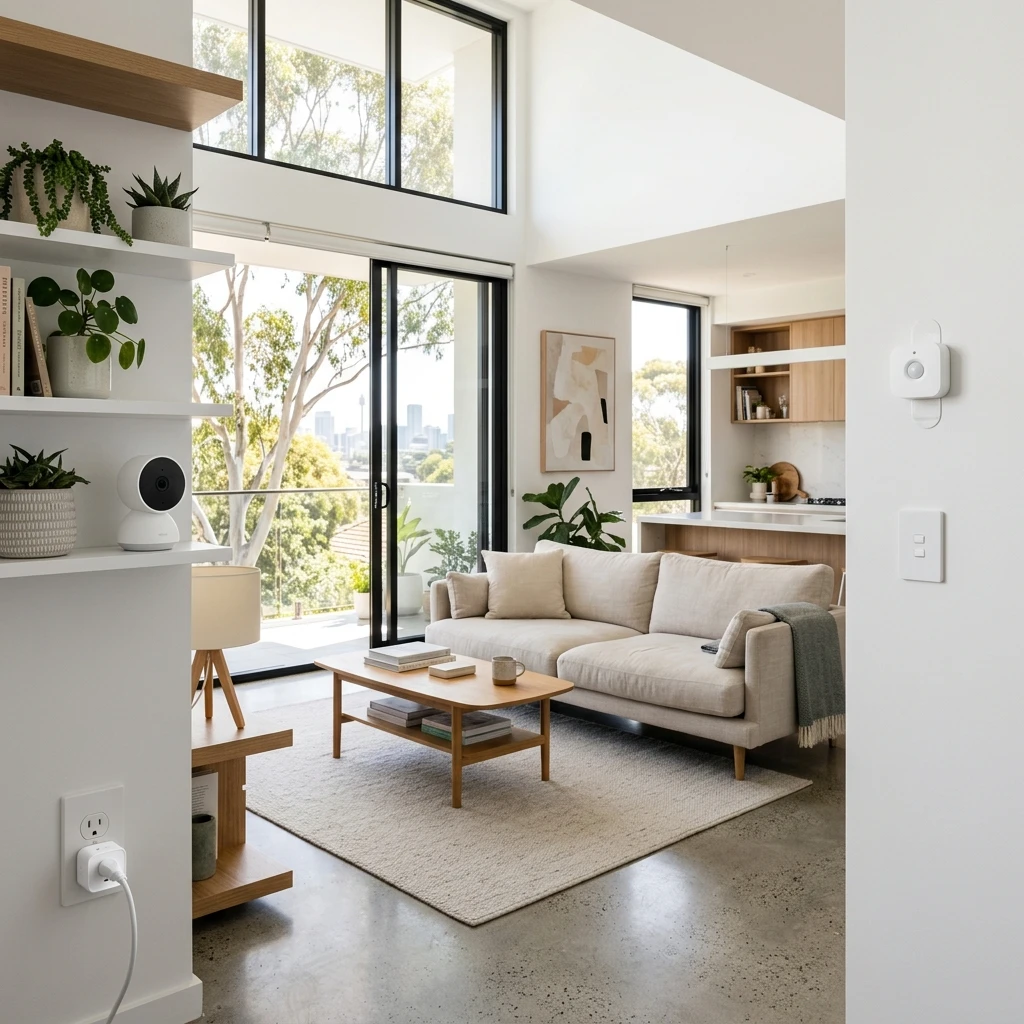
Plugs into a socket, mounts to nothing
Smart plugs. The single most useful thing on this list. A lamp, a fan, a heater, a Christmas tree, a phone charger — anything with a switch on the appliance becomes schedulable. Nothing is attached to the building at all.
Australian smart plugs are physically chunky because of the AS/NZS 3112 plug and the socket spacing here, so check whether yours will block the second socket on a double outlet. Some are angled specifically to avoid that.
Smart speakers and displays. They sit on a shelf. That is the whole installation.
Plug-in sensors and repeaters. Anything that draws power from a socket rather than a wall.
Sticks on with adhesive
This is where most of the "no drilling" range lives, and where a little care pays off at the end of the lease.
Door and window sensors. Two small blocks — one on the frame, one on the door — held on with adhesive strips. Battery-powered, and small enough that most people never notice them.
Motion sensors. Corner-mounted or shelf-standing. The mount matters more than the sensor: a sensor pointed at a hallway from a bookshelf works as well as one screwed into a cornice.
Leak sensors. Under the sink, behind the washing machine, next to the hot water unit. These do not mount at all — you put them on the floor. For a renter they are arguably the highest-value device here, because a leak you catch early is a leak that does not become an argument about who pays.
Smart buttons and scene controllers. A wireless button stuck beside a doorway does what a wall switch does, without touching the wall switch.
On adhesive: use removable stretch-release strips rather than permanent foam tape wherever the device is light enough. They cost slightly more and come off cleanly. Permanent tape on a rental wall is how a $30 sensor turns into a paint repair.
Sits on a surface
Indoor cameras. Free-standing models with a weighted base need no mounting. Bear in mind that cameras carry privacy obligations that go beyond your lease — see what Australian privacy law says about home cameras before pointing one anywhere shared.
Air quality and climate sensors. Shelf or bench.
Hubs and border routers. Beside the router.
Screws into what is already there
A narrow but useful category: devices that reuse an existing fixing point, so you are not making a new hole.
Retrofit smart locks that fit over the inside of an existing deadbolt, reusing the original screw holes and leaving the exterior and the key untouched.
Smart blinds retrofits that clip onto an existing roller mechanism rather than replacing the blind.
Both reuse existing hardware, but both are still alterations in the eyes of most leases. Get permission in writing before fitting either. [VERIFY] your own tenancy agreement — residential tenancy rules differ by state and territory, and nothing on this page is a substitute for what your agreement actually says.
What to leave alone
Three things are worth naming as off the list, because they come up constantly:
- Hardwired wall switches. Fixed wiring is licensed work in Australia — see what you can legally do yourself. This is not a lease question, it is an electrical one.
- Outdoor cameras and doorbells. Almost always drilling, usually into brick or render, and often into wiring for a wired doorbell.
- Full smart lock replacements. Replacing the whole lock changes the door hardware and the keying.
The practical order
If you are starting from nothing, this order gets you the most useful smart home for the least commitment:
- One smart plug, on whatever you switch on and off most.
- Leak sensors, under the sink and behind the washing machine.
- A door sensor on the entry door.
- A speaker or display, once you have enough devices to be worth voice control.
Everything on that list moves house with you in a shoebox, which is the real advantage of building this way. The screwed-in version is not much better while you are there, and it is considerably worse when you leave.


