

A good movie night scene is not one dramatic colour-changing light show. It's three or four ordinary lights doing quieter things at the same time: the ceiling light off, a lamp behind the couch at around 5-10%, and a strip of white light behind the TV so your eyes stop fighting the contrast. All of that can be done with plug-in gear on standard Australian 240V Type I sockets.
Practical takeaway: build the scene around lamps you already own. Swap the bulbs for smart ones (or put a dumb lamp on a smart plug), add a USB-powered backlight behind the screen, then group the whole lot into one scene in your app. Budget roughly $120-$250 for a small lounge room [VERIFY], and you can take every piece of it with you when you move.
Plug-in only: what you can do without an electrician
The line is simple. Anything that plugs into a socket or screws into an existing lamp holder is yours to play with. Anything behind a wall plate is not.
Safe to DIY:
- Smart bulbs in table lamps, floor lamps and existing batten fittings (B22 bayonet or E27 Edison screw are the common Australian bases)
- Smart plugs and smart powerboards on lamps and TV gear
- Low-voltage USB or 12V/24V LED strips powered from a plugpack or the TV's USB port
- Battery or USB-powered motion and light sensors
Requires a licensed electrician in Australia: replacing a wall switch with a smart dimmer, installing an in-ceiling relay module, changing hardwired downlights, or anything at the switchboard. Under AS/NZS wiring rules, fixed electrical work is licensed work in every state and territory - don't treat a smart dimmer module as a weekend job [VERIFY]. If you rent, plug-in gear also avoids the whole "do I need written permission to alter the premises" conversation, though tenancy rules differ by state [VERIFY].
Scene one: the ten-minute dim-down
This is the scene most people actually use, and it needs two or three lights, not ten.
- Kill the overhead. A smart bulb in the main fitting set to off, or the fitting simply left off at the wall.
- One warm lamp behind the seating. Set it to roughly 2200-2700K and 5-10% brightness. Behind the couch, not beside the screen - light that lands on the wall behind you stays out of the picture.
- A low floor lamp for the walkway. Warm, dim, aimed at the floor so nobody trips over the dog on a popcorn run.
If your lamps have shades you like and bulbs that are already warm, a smart plug is the cheaper path than replacing bulbs. You lose dimming - a plug is on or off - so pair it with a low-wattage warm globe (a 4-5W LED reading around 400 lumens is plenty for ambience). Mini plugs matter here because Australian double sockets are tight; a wide plug body blocks the second outlet.
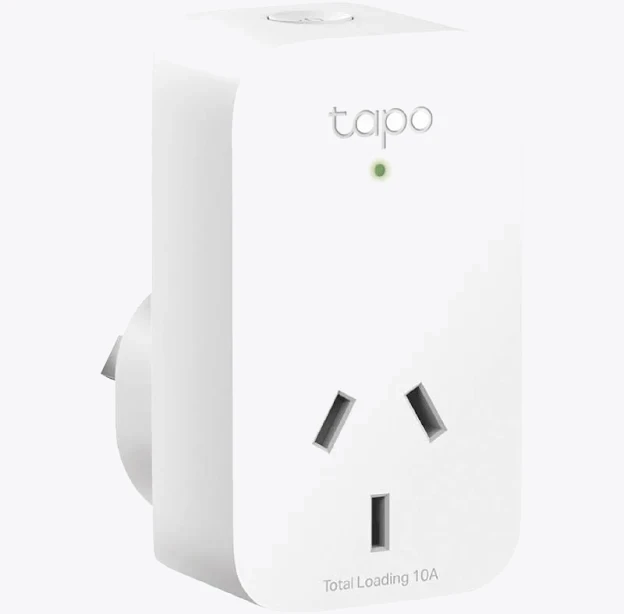
TP-Link Tapo P100 Mini Smart Wi-Fi Socket Plug
On spec, a Wi-Fi plug like this handles scheduling and scene membership through its own app plus Google Home and Alexa, which is all a lamp needs. Check the stated resistive load rating against what you're plugging in - lamps are trivial, heaters are not.
Scene two: bias lighting behind the TV
Bias lighting is the highest-value change in this whole article. A strip of neutral white light on the wall behind the screen lifts the black level your eyes perceive, cuts the harsh contrast in a dark room, and makes long sessions less tiring. Aim for around 6500K white at low output, mounted on the back edges of the panel so it washes the wall rather than shining at you.
Two ways to power it without new wiring: run it off the TV's USB port so it follows the TV on and off automatically, or run it from a plugpack into a smart plug so it joins your scene.
The bigger issue behind most Australian TVs is socket count. Between the TV, soundbar, streaming box, console and now a light strip, a single double outlet runs out fast. An individually switched smart powerboard solves the sockets and the automation in one object.
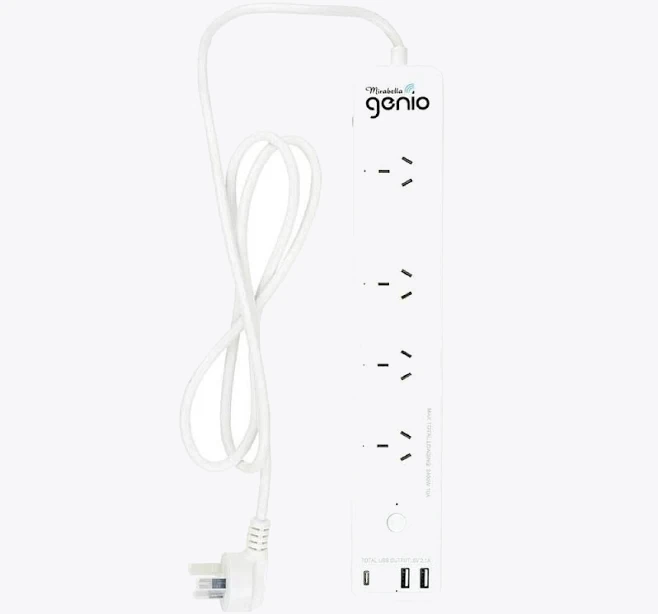
Smart Mirabella Genio Wi-Fi Powerboard
A board with independently controlled outlets lets your scene switch the backlight and, say, a side lamp while leaving the TV and modem untouched. Two cautions: never daisy-chain powerboards, and keep total load well under the board's rating [VERIFY].
Scene three: the credits-roll wake-up
The scene nobody builds and everybody wants. When playback stops, bring the room back up gently over 20-30 seconds rather than blasting 100% white at eyes that have been in the dark for two hours. Most bulb apps support a transition or fade time - set it to the maximum and target about 40-50% brightness at 2700K, not full output.
If your ecosystem doesn't do fades, fake it with two steps: 15% immediately, 45% ninety seconds later.
Triggering scenes without touching your phone
Digging out a phone in a dark room defeats the point. Options, roughly in order of how well they work:
- Voice. "Hey Google, movie night." Free, instant, works with any assistant-linked bulb.
- A physical button. A battery-powered Zigbee or Bluetooth button stuck to the coffee table costs around $25-$40 [VERIFY] and is the most spouse-friendly option in the house.
- Media state. If your speaker or streamer reports playback status to your platform, "when playback starts, dim the room" becomes automatic.
That last one is where a networked soundbar earns its keep, because its play/pause state is visible to Home Assistant and to some assistant routines.
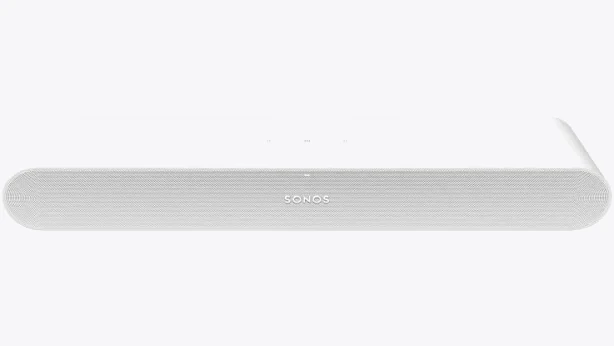
Sonos Ray Soundbar
Also stocked at: JB Hi-Fi
In Home Assistant, a Sonos media player entity changing to playing is a perfectly good automation trigger - add a condition for after sunset so an afternoon podcast doesn't black out the lounge room. Confirm current app and platform support before buying on that basis [VERIFY].
Getting the numbers right
- Colour temperature: 2200-2700K for room ambience, ~6500K for TV bias lighting. Mixing them deliberately is fine; mixing them accidentally looks like a sports bar.
- Brightness: 5-10% for ambience. Anything more and you'll see reflections in the panel.
- Flicker: cheap bulbs often use PWM dimming that becomes visible at very low levels, particularly in peripheral vision. If a bulb shimmers at 5%, run it at 15% instead or replace it.
- Placement: no light source should be visible in the screen's reflection from the main seat. Sit down and check before you mount anything.
- Wi-Fi load: a dozen Wi-Fi bulbs on a budget router will feel sluggish. Zigbee or Thread bulbs with a hub scale better and generally switch in unison rather than popcorning one by one.
Mistakes worth avoiding
Don't put a smart bulb in a lamp that's switched at the wall by someone who will inevitably switch it off - the bulb drops off the network and the scene half-fires. Don't buy colour bulbs if you only ever use warm white; tunable-white versions are cheaper and often dim more smoothly. And don't over-engineer it: a scene with three lights that fires reliably beats an eight-light sequence you stop trusting after a fortnight.
Start with the dim-down and the bias light this weekend. Everything else is refinement.


