

Video doorbells are designed and marketed around North American wiring. Over there, a low-voltage transformer feeding a mechanical chime is standard in most houses. In Australia, what sits behind your doorbell button could be an 8V AC plug pack in the hallway cupboard, a transformer mounted in the meter box, a battery-powered wireless chime, or nothing at all beyond two thin wires that stopped working in 2009.
Getting this right matters, because the failure modes are unglamorous: a doorbell that boots, rings once and browns out; a mechanical chime that hums continuously; or a transformer that runs hot because it is undersized.
Start by identifying what you actually have
Before you buy anything, spend twenty minutes tracing the existing system. There are four common scenarios in Australian homes.
Battery chime, wireless button. Very common in homes built or renovated in the last 20 years. There is no wiring at the door at all. A wired video doorbell is not a drop-in here.
Plug-pack transformer. A small unit plugged into a Type I socket in a cupboard, laundry or roof space, with bell wire running to the door. Look for a label: 8V AC, 12V AC and 12V DC are all common in Australia [VERIFY].
Meter-box or switchboard transformer. A DIN-rail or surface-mounted transformer hard-wired to 240V. This is fixed electrical work — see below.
Dead wires. Two conductors at the door with nothing energised behind them. Worth testing with a multimeter on AC volts before you assume anything.
Photograph the transformer label and the chime unit's terminals. Those two photos answer most compatibility questions.
Why the voltage specs on the box rarely match
Most mains-powered video doorbells specify something in the range of 8-24V AC, and many draw meaningfully more than an old mechanical bell button ever did. Ring's wired models and Nest's wired doorbell both publish minimum VA ratings as well as voltage ranges — the VA figure is the one people ignore, and it is usually what causes reboot loops [VERIFY current model specs before buying, as they change between generations].
Three Australian-specific traps:
AC versus DC. Plenty of local plug packs are DC. Several video doorbells will only accept AC, and connecting DC to an AC-only input can damage the unit. Check the doorbell's manual, not a forum post.
Undersized transformers. An 8V AC plug pack rated at 5VA might have happily run a ding-dong chime for 30 years. A camera with night vision, a speaker and a Wi-Fi radio is a different load entirely.
Imported transformers. A 16V AC transformer bought from a US seller will have the wrong plug and may not carry Australian approvals. Any 240V-connected equipment sold or installed here should carry the RCM mark and meet the relevant AS/NZS standards; using a travel adaptor as a permanent fix is not an acceptable substitute [VERIFY approval requirements for your specific product with the supplier].
If you are running a plug-pack transformer from a socket in a cupboard, a smart plug on that socket gives you remote power cycling — genuinely useful when the doorbell locks up while you're away and you'd otherwise be asking a neighbour to unplug something.
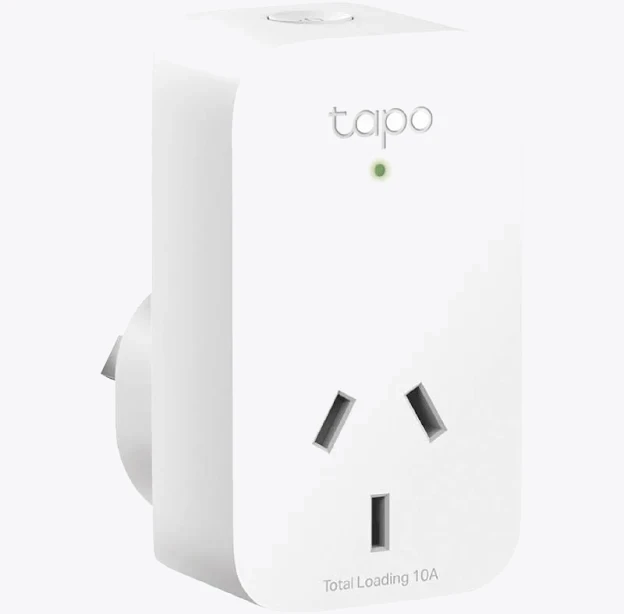
TP-Link Tapo P100 Mini Smart Wi-Fi Socket Plug
Don't automate it on a schedule, though. A doorbell that's off between 11pm and 6am is a security device that isn't.
What you can do yourself, and what needs a licensed electrician
This is the part worth being blunt about. In Australia, fixed electrical wiring work on the 240V side is licensed work in every state and territory. That includes installing or replacing a transformer that is hard-wired into a meter box or switchboard, running new mains cabling, or altering an existing hard-wired chime circuit. Do not do it yourself, regardless of what a YouTube tutorial from Ohio shows [VERIFY the specific requirements with your state's electrical regulator — rules and penalties differ by jurisdiction].
The extra-low voltage side — the bell wire between the transformer output and the door button, typically 8-24V — is generally treated differently, and connecting a doorbell to existing ELV bell wire is the kind of task many homeowners undertake. That said, ELV wiring that forms part of a fixed installation can still fall under AS/NZS 3000 requirements in some circumstances, and if the wiring shares a cavity or enclosure with mains cabling you should not be in there [VERIFY].
The safe, boring, defensible path for most people:
- Use a plug-in transformer supplied with, or approved for, your doorbell, plugged into an existing socket.
- Have an electrician install anything that connects to the switchboard, and ask for the certificate of electrical safety or equivalent paperwork for your state.
- Isolate at the switchboard before touching a transformer, even a low-voltage one, because you cannot be certain what's behind it.
Renters have an extra layer: drilling the front door frame or brickwork is usually an alteration requiring the lessor's written consent, and rules vary considerably between states and between fixed and modification-free mounts [VERIFY with your state tenancy authority].
Making the existing chime behave
Assuming power is sorted, the chime is the next hurdle.
Mechanical chimes (the hammer-and-bar type) generally work with wired doorbells, but the doorbell needs to pass enough current through the chime coil without holding it energised. Symptoms of a mismatch are a constant hum or a weak single note.
Electronic chimes (a speaker playing a tone) usually need a bypass module or diode kit. Ring ships a Pro Power Kit for exactly this; other brands have equivalents [VERIFY what's in the box for your model, as some ship it only in certain regions].
Long, thin bell wire is the third culprit. Older Australian bell wire is often very fine gauge and may run 15 metres or more from a cupboard to the front door. Voltage drop across that run can push a 12V supply below the doorbell's minimum under load. If the doorbell reboots when the motion light kicks in, suspect the cable before you blame the Wi-Fi.
There is also a legitimate option to skip the chime entirely: bypass it, mount the doorbell, and let smart speakers announce visitors. A speaker in the kitchen and another in the back room covers a typical house better than one chime in the hallway ever did, and you can adjust volume per room.
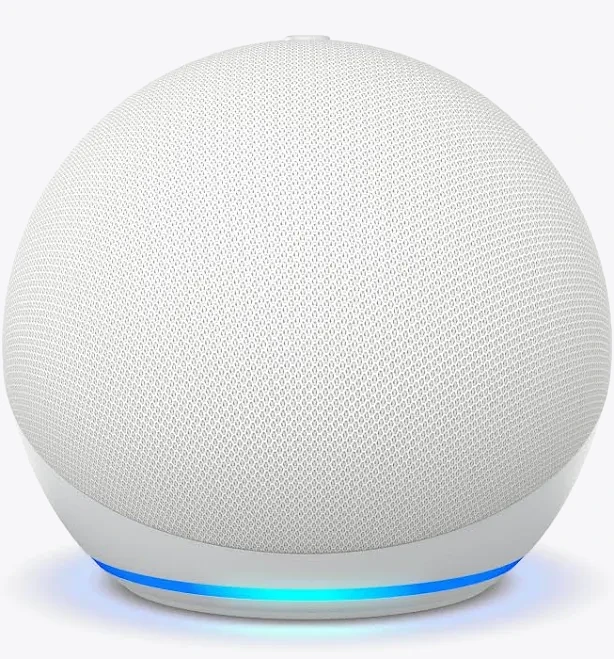
Amazon Echo Dot 5th Gen Smart Speaker
Also stocked at: Amazon AU
Check ecosystem compatibility first — announcement support depends on which doorbell brand and which assistant you're using, and some pairings are limited to app notifications only.
When wire-free is simply the better answer
If your investigation turns up a battery chime, no wiring, a switchboard-mounted transformer you'd need an electrician to replace, or a rental you can't modify, a battery camera or doorbell avoids the entire problem. You trade recharging every few months for zero electrical work.
The same logic applies to front-yard coverage more broadly. A doorbell watches the doormat; it doesn't watch the driveway or the side gate, and stretching a doorbell to do both usually disappoints.

Arlo Ultra 2 4K Spotlight Camera
Best for: Ultra HD 4K video resolution with ultra-wide 180-degree diagonal view
Specification-wise, a wire-free spotlight camera covers the wider approach that a doorbell's narrow, vertically-oriented field of view can't. Note that ongoing cloud subscription costs apply to most brands, and battery life claims are typically stated for moderate activity — a camera facing a busy footpath will do considerably worse.
A short pre-purchase checklist
- Photograph the transformer label and chime terminals.
- Confirm AC or DC, voltage and VA against the doorbell's published requirements.
- Measure the bell wire run and note whether it looks like fine-gauge figure-8.
- Decide whether the chime is mechanical or electronic.
- Confirm 2.4GHz Wi-Fi signal strength at the door position, not at the router.
- If anything touches the switchboard, book a licensed electrician before you buy hardware.
Get those six answers first and the install is a 45-minute job. Skip them and it's a weekend, a return, and a second trip to Bunnings.


